
Instructions – How to Book
Book in Today!
Our programs are ready to go! Check the steps below to learn how to book your child/ren in.
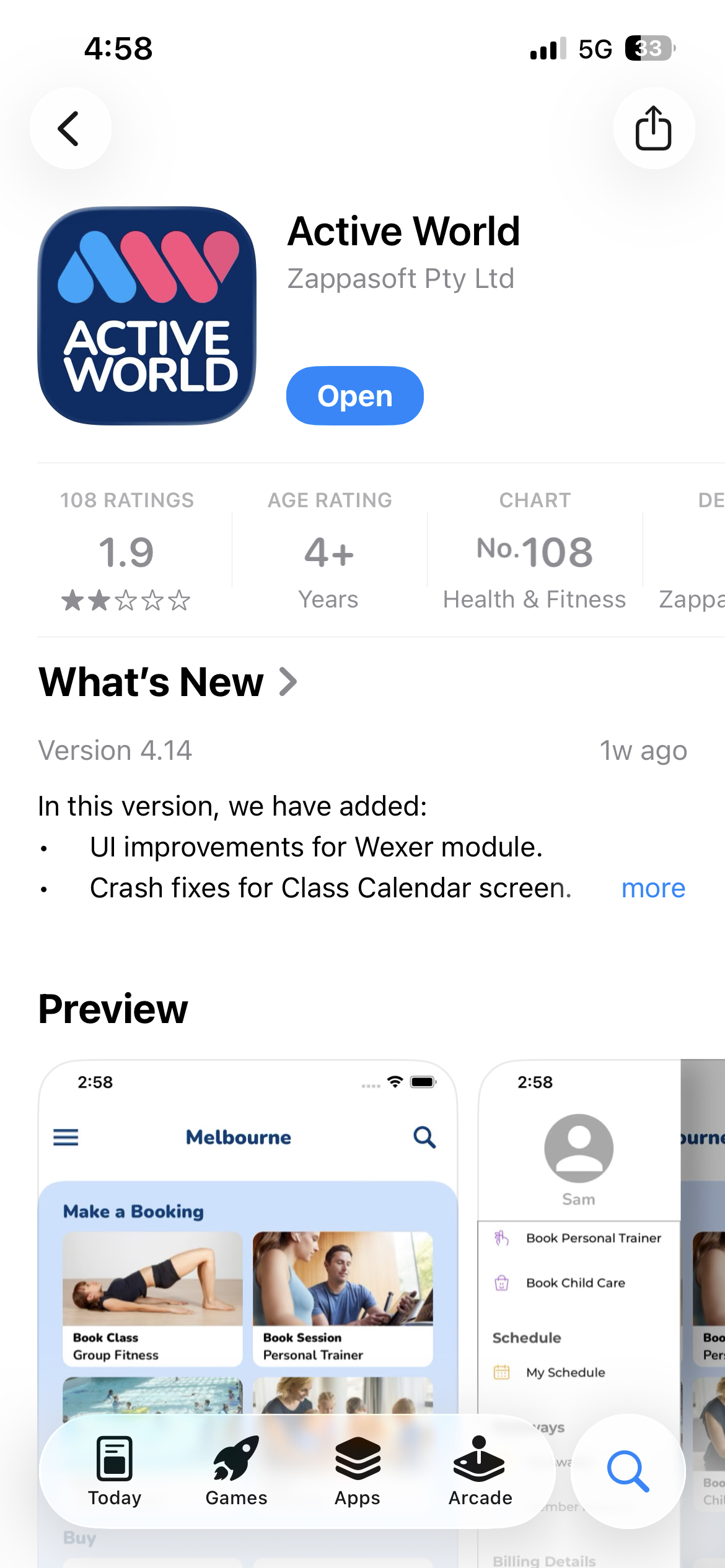
Download the ActiveWorld App
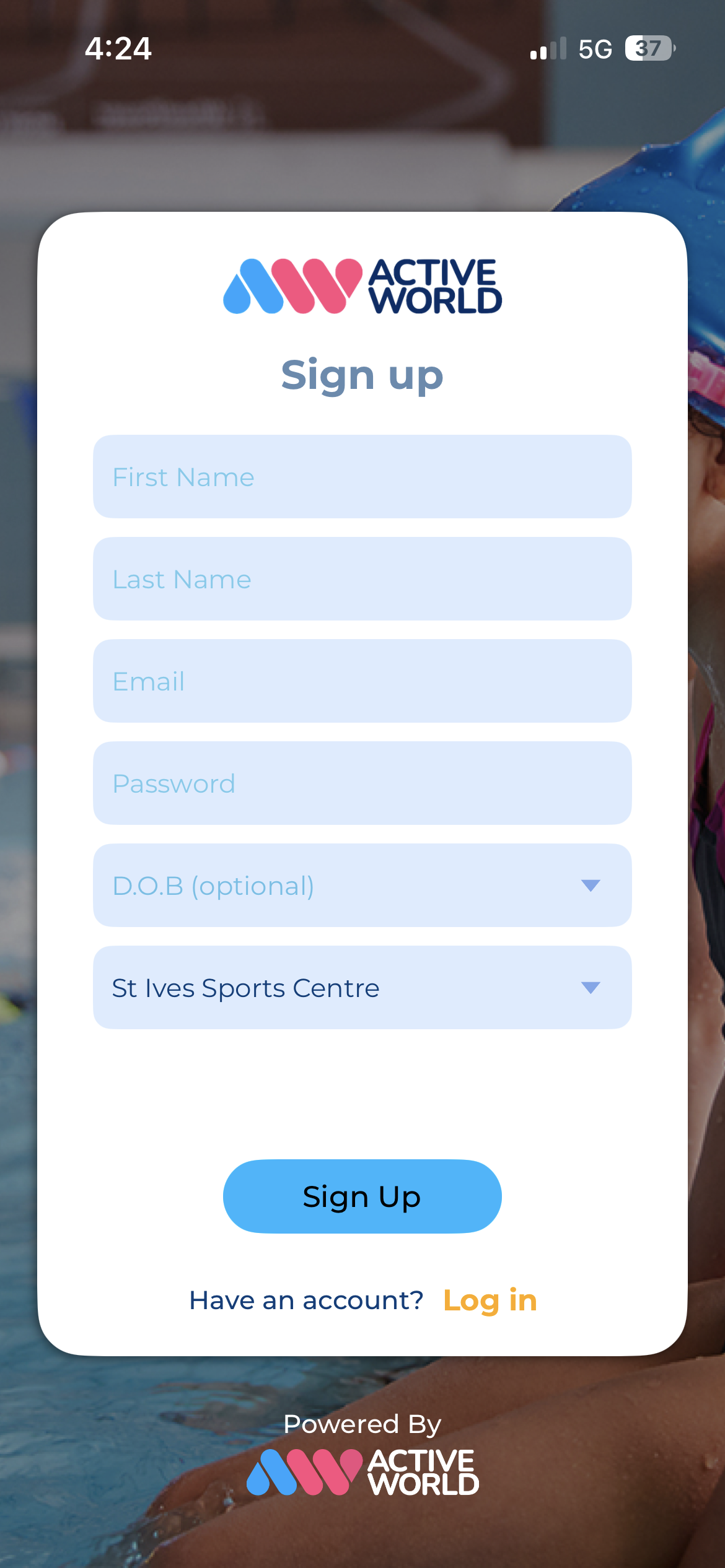
Create your profile, ensure you select ‘St Ives Sports Centre’
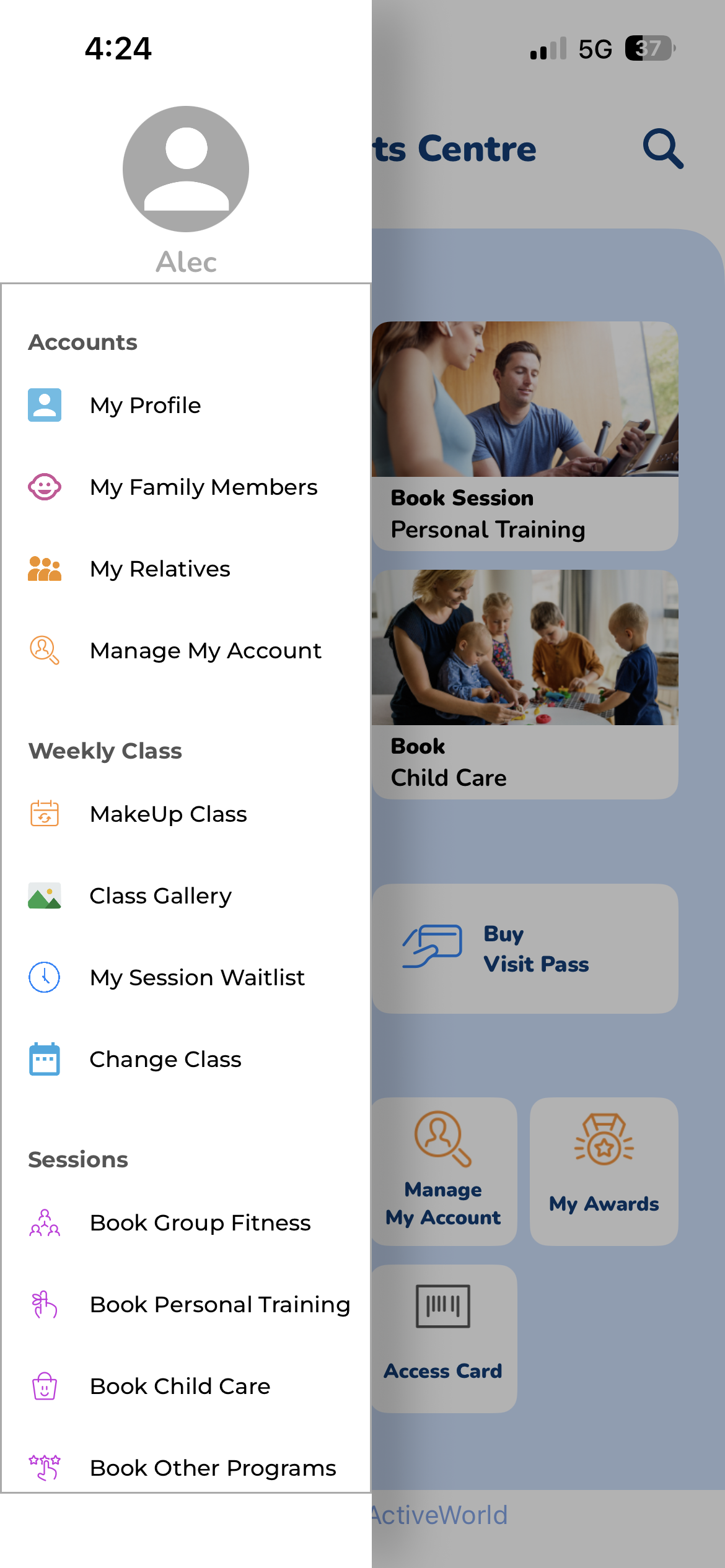
Once you’ve logged in, select the 3 lines at the top left and find the ‘My Family Members’ tab
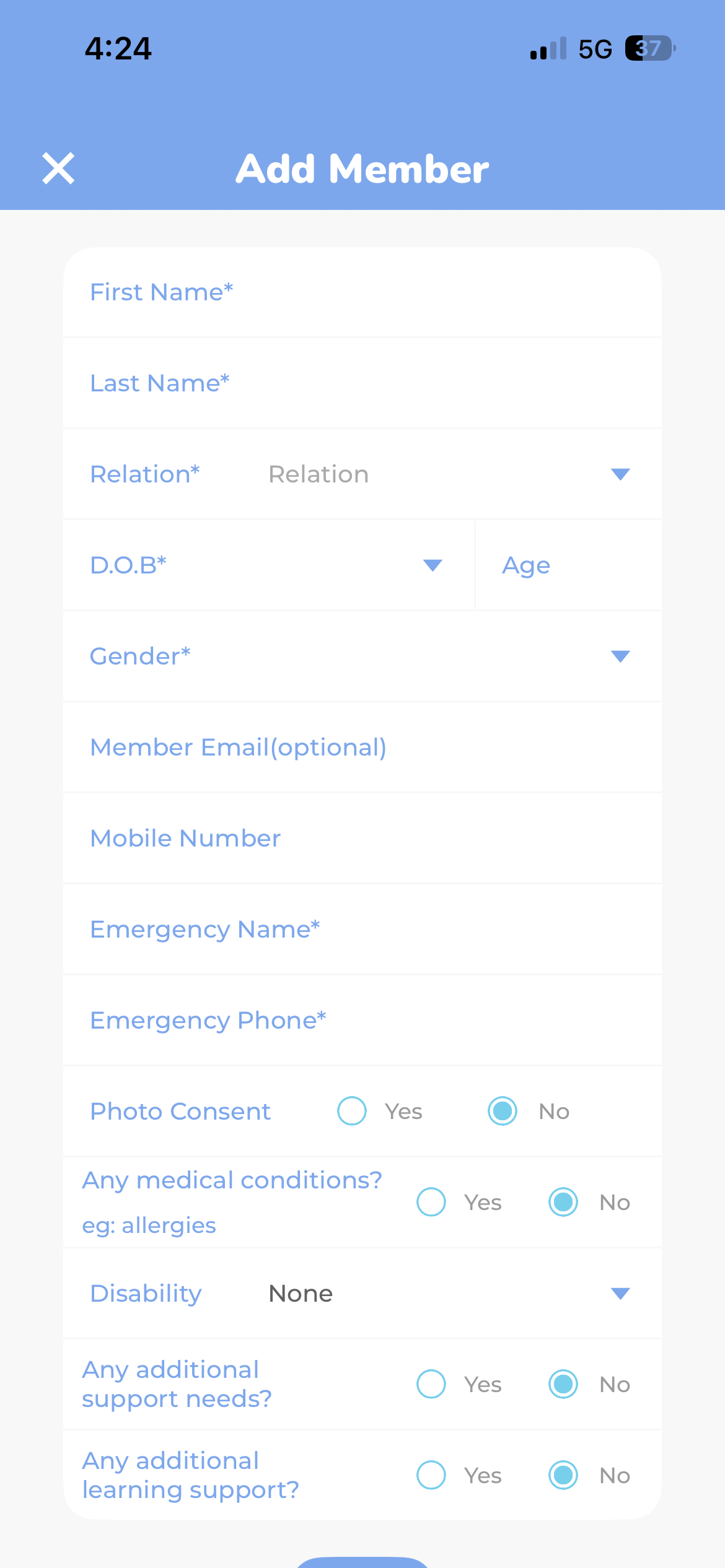
Create your child/ren’s profile
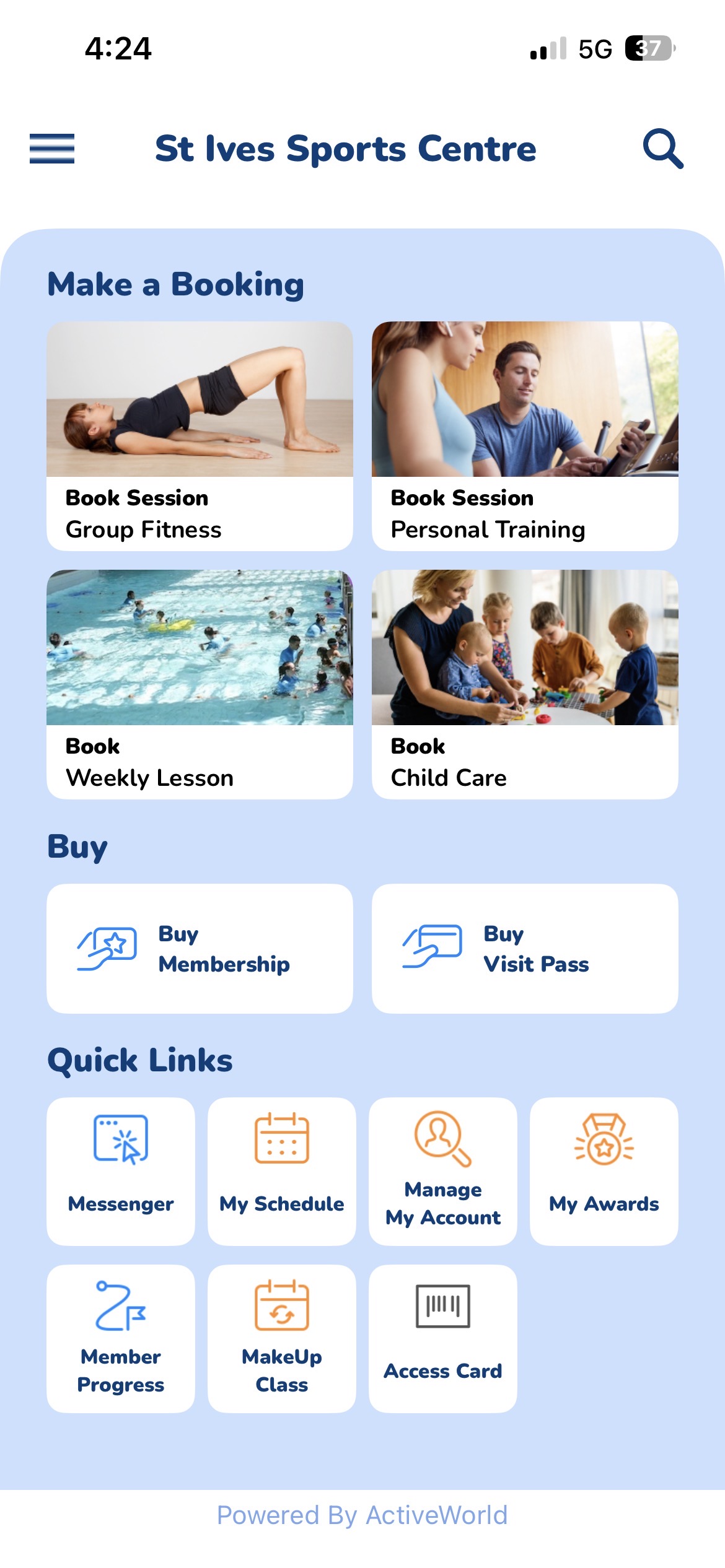
Select the ‘Book Session – Group Fitness’ option
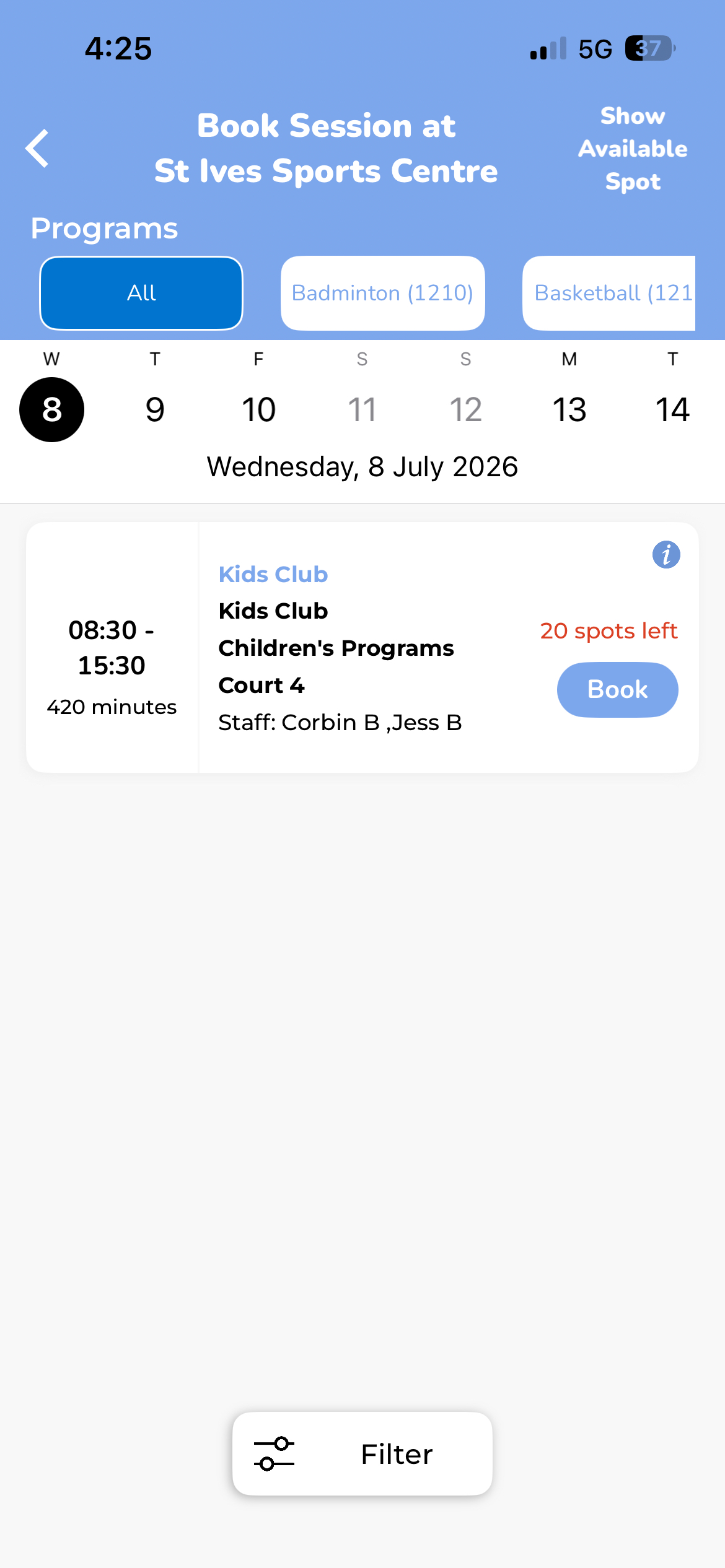
Scroll through the dates to find your preferred session/sessions to book in to
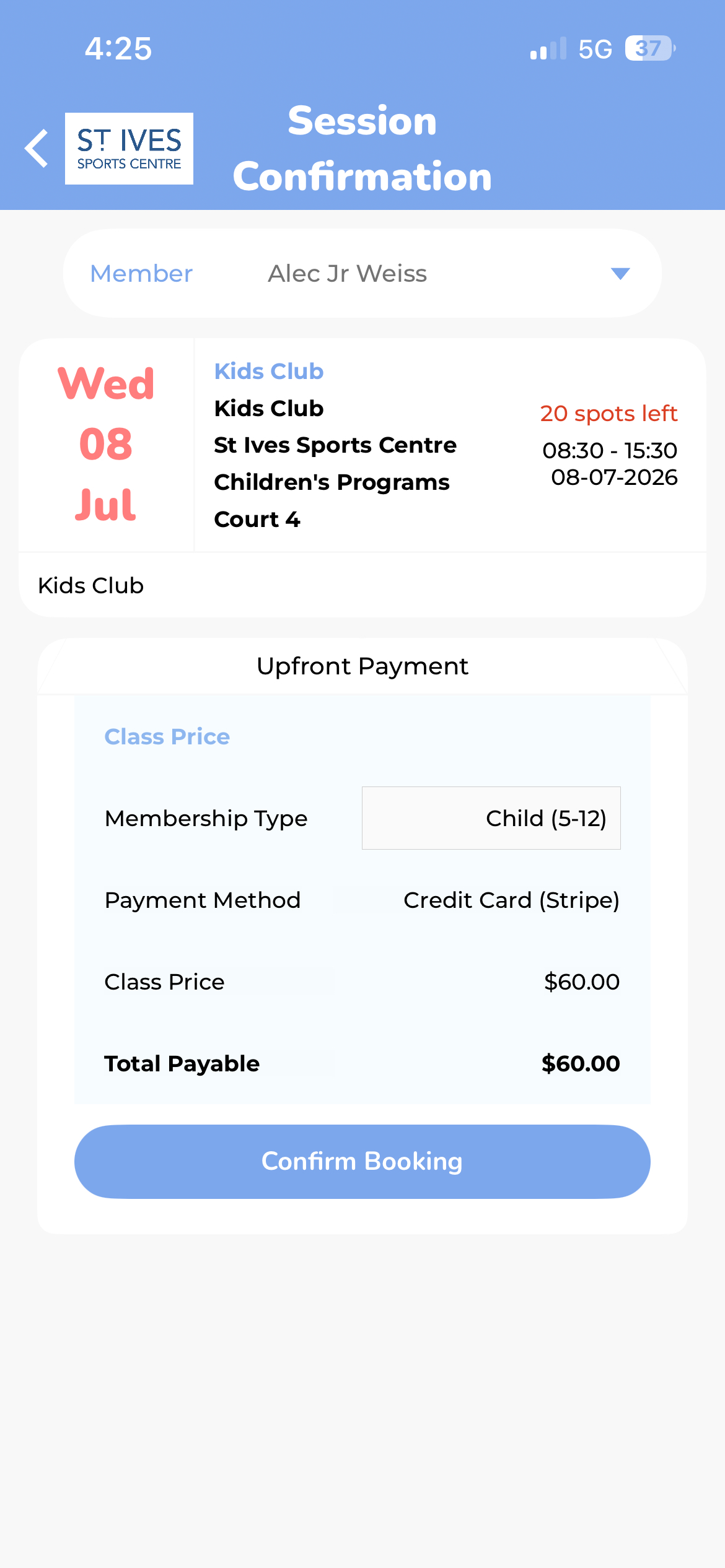
Select your child’s profile and book them in!
Our team will be in touch if there is additional enrollment information/forms needed.